NikoCat233's Impostor Server
Rules
Players must follow the Innersloth Code of Conduct.
- No cheating of any kind.
- No insults, harassment, or racial discrimination.
- No ban evasion.
- Breaking these rules may result in a ban.
Privacy Policy: policy.html
 Donate via Ko-fi
Contact
Contact NikoCat233 by email, or join the community channels below.
 Email
Email Discord
 China QQ Group
Windows Desktop
Close Among Us first, then download and run the script below. Open Among Us again after the script finishes.
This script is intended to work with the PC versions from Steam, Epic Games Store, itch.io, and the Xbox app / Microsoft Store. For manual installation, check Method 2 or Method 3 based on your game version.
If the script does not take effect, right-click it and choose "Run as administrator".
- Download regioninfo.json.
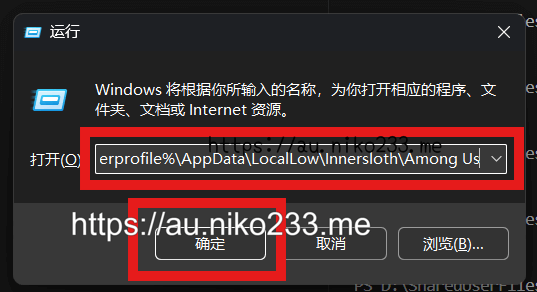
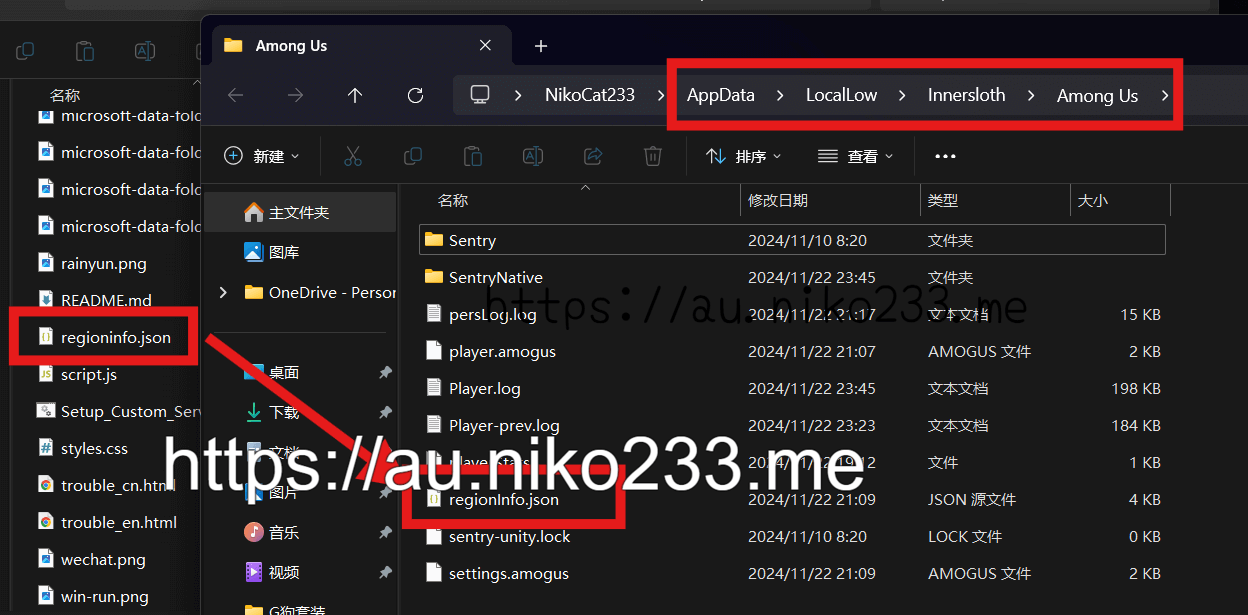
- Press Win + R and open %userprofile%\AppData\LocalLow\Innersloth\Among Us.
- Replace the existing `regioninfo.json` file, then restart the game.
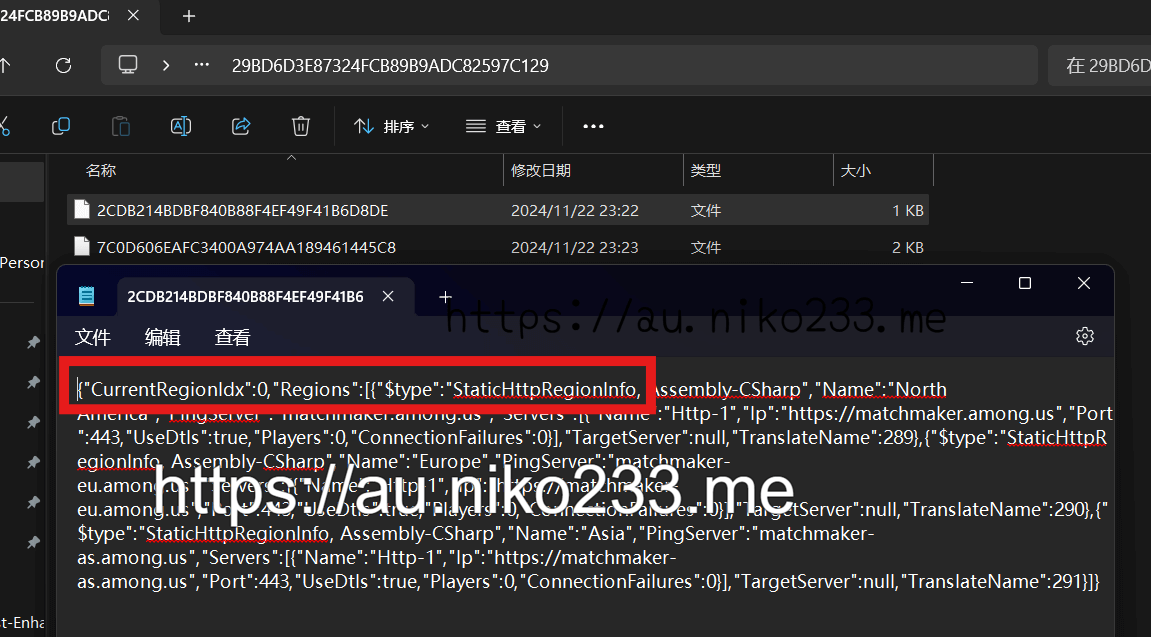
If Method 1 does not work for the Microsoft Store version, follow these manual steps:
- Download regioninfo.json.
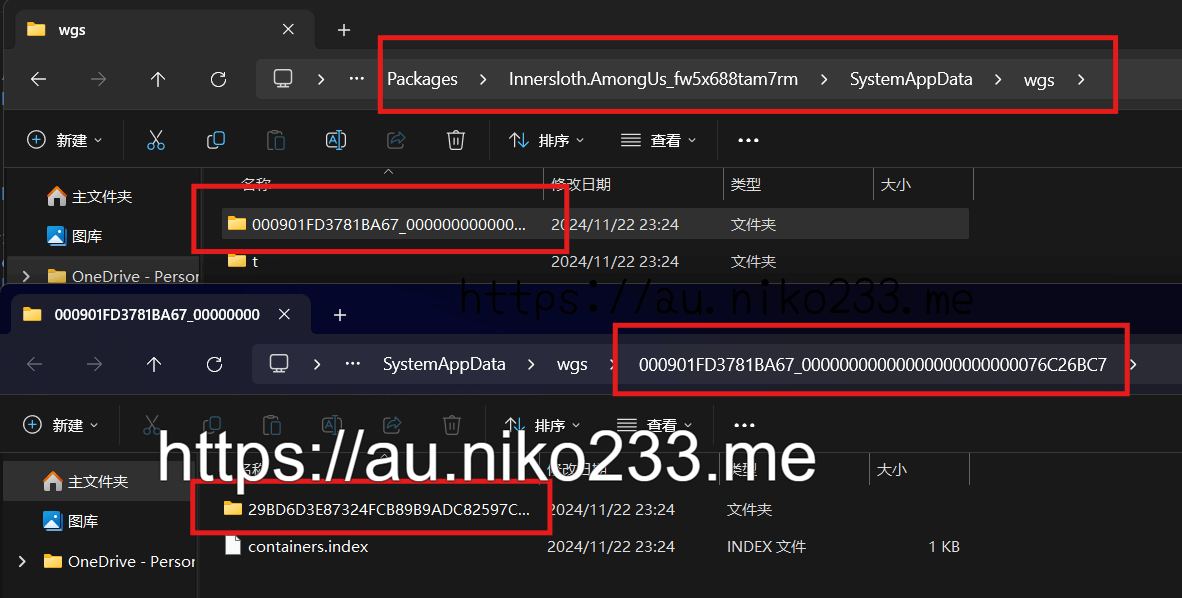
- Open %userprofile%\AppData\Local\Packages\Innersloth.AmongUs_fw5x688tam7rm\SystemAppData\wgs.
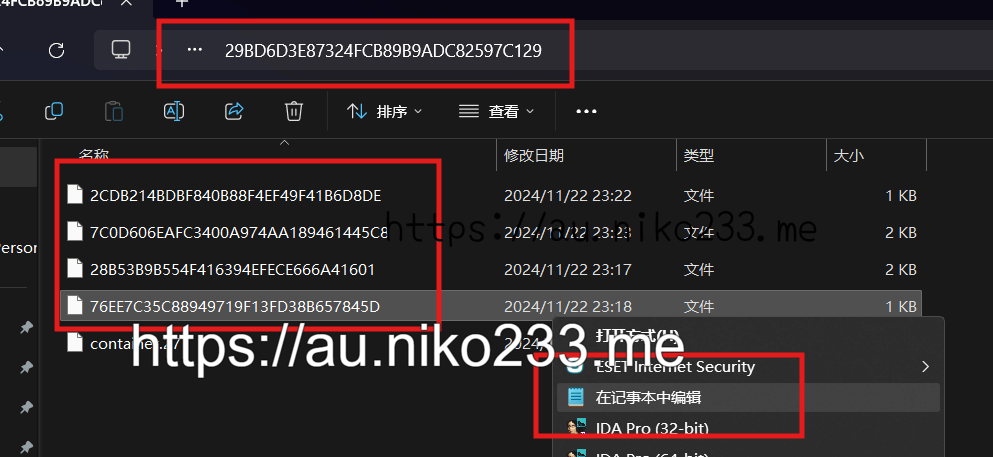
- Find the folder with long numeric names and open the JSON-like save file inside.
- Paste the contents of `regioninfo.json`, save, and restart the game.
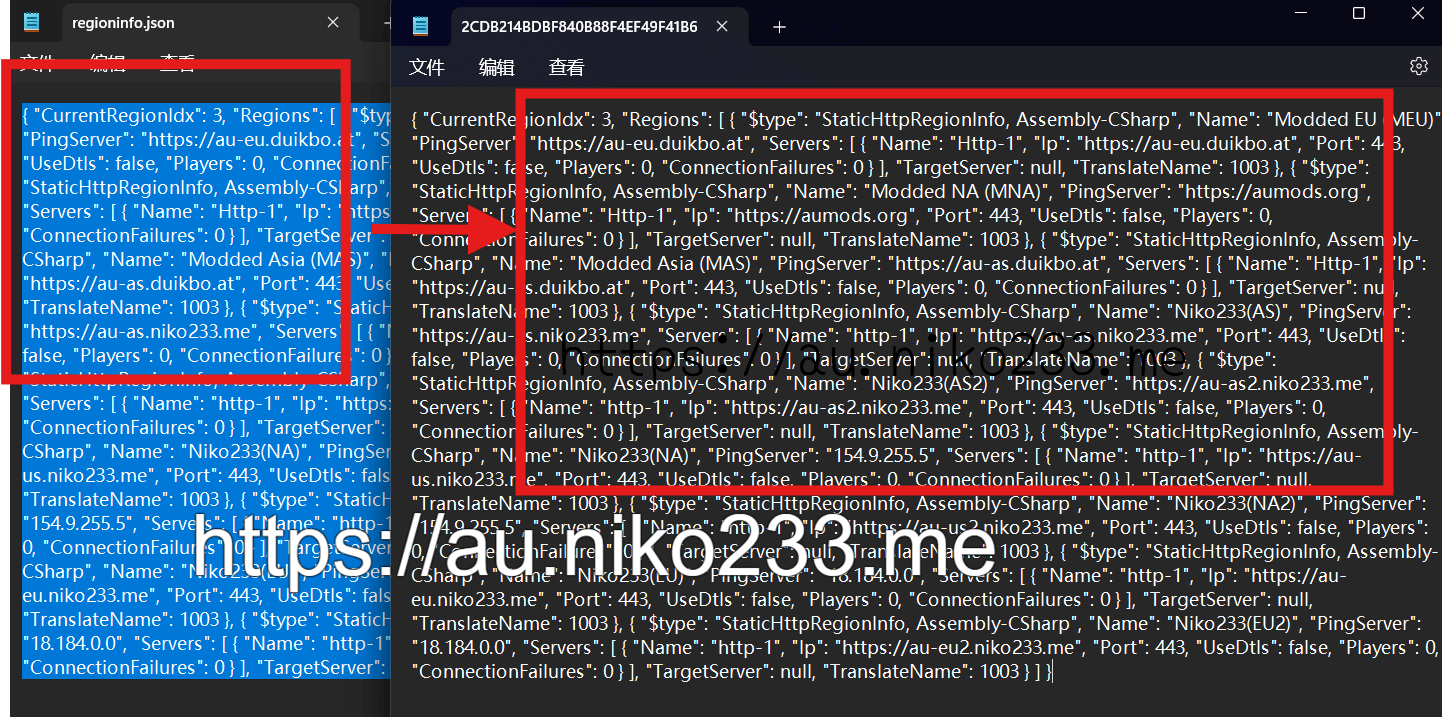
If you use Mini.RegionInstall, download at.duikbo.regioninstall.cfg and copy it to Among Us\BepInEx\config.
Android / iPhone
Keep Among Us running in the background, then tap a region button.
Using Gspace / OurPlay or another virtual environment:
Import a browser into that environment, launch Among Us there first, then open this page from that browser and tap the buttons again.
Video: mobile_guide.webm
Console
There is no simple install flow for PS / Xbox / Switch right now.
服务器规则
玩家必须遵守 Innersloth Code of Conduct。
- 禁止任何形式的作弊。
- 禁止辱骂、骚扰和种族歧视。
- 禁止绕过封禁。
- 违反规则的后果将是封禁。
隐私政策:policy.html
Windows 桌面端
请先关闭 Among Us,再下载并运行下面的脚本。脚本安装完成后,再重新打开 Among Us。
这个脚本理论上支持 Steam、Epic、itch.io 和 Xbox 应用 / 微软商店的 PC 版 Among Us。如需手动安装,请根据游戏版本查看方法 2 或方法 3。
如果脚本不生效,请右键脚本并选择“以管理员身份运行”。
- 下载 regioninfo.json。
- 按 Win + R,打开 %userprofile%\AppData\LocalLow\Innersloth\Among Us。
- 把下载好的 `regioninfo.json` 替换进去,然后重启游戏。
如果方法 1 在微软商店版上安装失败,再按下面步骤手动安装:
- 下载 regioninfo.json。
- 打开 %userprofile%\AppData\Local\Packages\Innersloth.AmongUs_fw5x688tam7rm\SystemAppData\wgs。
- 进入名称很长的数字文件夹,找到里面类似 JSON 的存档文件。
- 把 `regioninfo.json` 的内容粘贴进去,保存后重启游戏。
如果你使用 Mini.RegionInstall,下载 at.duikbo.regioninstall.cfg,并复制到 Among Us\BepInEx\config。
Android / iPhone 手机端
先让 Among Us 保持后台运行,再点击下面的服务器按钮。
如果你在 Gspace、OurPlay 或其他虚拟环境里运行游戏:
把浏览器也导入同一个环境,先在其中启动 Among Us,再用该浏览器打开本页并重新点击按钮。
视频指引:mobile_guide.webm
主机平台
目前 PS / Xbox / Switch 没有简单安装方式。